What's new
  • Visit Rebornbuddy
  • Visit Resources
  • Visit API Documentation
  • Visit Downloads
  • Visit Portal
  • Visit Panda Profiles
  • Visit LLamamMagic

Hotkeys not working

bennyquest

Community Developer
Joined
Dec 6, 2010
Messages
2,644
Reaction score
14
Ok, Guess i will try to bring this into the light for everyone who may be having this issues but more than likely it is just me.

First and foremost I have been working on this issues with Stormchasing for about two weeks now and cannot resolve it.

I cannot get hotkeys to work with any rotation. Nor, can i get botbases to pause. I cannot get anything to chatoutput to wow. I will list what we have tried with different setups from all of the things I am about to list.


1. Fresh HB Install
2. Fresh Beta HB Install
3. Fresh Botbases, tyrael, combat, etc.
4. Fresh routines, pure, CLU, singular
5. Different classes Monk, Lock, Paladin
6. Different modifier keys and hotkeys ie, shift + e, ctrl + e, any number of combinations.
7. Wow and HB ran as admin.
8. All of the above on a seperate computer, my laptop still no dice on it working.
9. Updated .net framework, removed and reinstalled .net framework.
10. Move locations of HB folder to c:\ and lots of other places throughout windows.


What i Have not tried.

1. Fresh install of windows.

If anyone can think of anything that would hinder me from being able to use hotkeys please let me know.

EDIT1. Yes i know there is no log, because logs show nothing of the like about why this is not working, but if anyone would like to see logs I will post about 100 of hotkeys not working.
 
Do you have WoW in the foreground when attempting to use the HotKeys? Hotkeys only work when the WoW process that is attached to HB is the active window.
 
Last edited:
Correct highvoltz it is in the foreground figured that was given.
 
Ok, so I hate to bring this back up but still having the issue. Except...My laptop works with hotkeys now yet my desktop does not.

They are from the same install disc of Windows 7 Enterprise. Non pirated copy. All are up to date drivers .net framework everything as far as I know.

The first log I am going to attach is on my desktop set to diagnostic using singular to try to use hotkeys. Only trying the pause key because well does not matter which I try.

First tired tyrael, then raidbot, then combat bot. No hotkeys working.

The second log is on my laptop same method yet my hotkeys work.

I have tried complete fresh installs on both my desktop and laptop of HB no plugins running just singular....works on my laptop not desktop.
Tried changing to a basic non wireless keyboard on desktop....no dice their either.
I am just at a complete loss as to what is making it work on my laptop and denying it on my desktop.

If I need to give any more specs on either machine let me know just clueless where to go from here.
 

Attachments

they are full just renamed them so you would know which is which.
 
Oh ok, give me two seconds I will edit this post with one.

Ok G, got it uploaded. I ran it with tyrael for a second spamming the Shift+D hotkey then changed hotkeys spammed it nothing. Changed botbases did it again nothing and changed botbases again still nothing.
 

Attachments

Last edited:
so there is a bit of a diffrence, copy your desktop install to your laptop, and change wow on your laptop to dx9 mode and see if that helps.
 
Ok, Actually it is the desktop that is not using hotkeys laptop is. So I copied the working HB folder from laptop to desktop and changed from dx11 to dx9 on desktop and still does not work on the desktop. It won't let me upload a log right now for some reason.
 
then there has to be something running on your desktop thats taking priority over honorbuddy when reading key input. if you have things that also have hotkeys like Fraps, or other games. try closing those and retrying.
 
I feel like I don't have anything like that running though. no fraps no other games.
 
well anything that is waiting for you to press a key or key combo to do something like Fraps (for example) you press F4 or whatever to record and its waiting for that keypress. anything like that can interfere with that functionality.

at this point theres not much i can do, its not like the bot completely breaks because for whatever reason your system is having issues with it.
 
Ok devs, Just did a new install of windows. Only have a limited amount of programs install on the computer will list what i have to see if you can come up with any reason why my hotkeys still do not work.

1. Wow copied from working computer that allows hotkey usage
2. Honorbuddy fresh install
3. AVG internet security full version
4. Nero 9
5. Flash Player
6. Teamviewer
7. Desktop Gadgets
8. Microsoft office.
9. Tortoise SVN
10. Windows updates and .net4.0

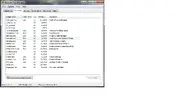
still having no luck getting hotkeys to work at all. Going to attatch a running processes list when i have wow up and more logs.
 

Attachments

  • processes.webp
    processes.webp
    34.3 KB · Views: 103
  • 5200 2013-04-27 23.46.txt
    5200 2013-04-27 23.46.txt
    57.9 KB · Views: 97
  • 4676 2013-04-27 23.43.txt
    4676 2013-04-27 23.43.txt
    44.2 KB · Views: 90
  • 5940 2013-04-27 23.33.txt
    5940 2013-04-27 23.33.txt
    84.6 KB · Views: 81
Ok, let me ask this then. is there a way for me to debug it to see what is causing interference with HB....? Anyone?
 
the only thing i can think of is teamviewer since it has its own keyboard and mouse hooks to control your pc. you can try removing it to see if that helps.
 
Back
Top