davidwr New Member Joined Nov 9, 2013 Messages 24 Reaction score 0 Nov 22, 2013 #1 My wow.exe is crashing after 2 hours moreless... This is happening after the .706 build. I'll get a print screen after and put here. Someone is passing for this problem?
My wow.exe is crashing after 2 hours moreless... This is happening after the .706 build. I'll get a print screen after and put here. Someone is passing for this problem?
davidwr New Member Joined Nov 9, 2013 Messages 24 Reaction score 0 Nov 26, 2013 #3 The log size is 130 mb So, i take some part of the log... Here is. View attachment logShort.txt Next time i'll take a screen shot of the error.
The log size is 130 mb So, i take some part of the log... Here is. View attachment logShort.txt Next time i'll take a screen shot of the error.
Tony "The Bee" Joined Jan 15, 2010 Messages 128,827 Reaction score 570 Nov 26, 2013 #4 a portion of the log file cant help us
davidwr New Member Joined Nov 9, 2013 Messages 24 Reaction score 0 Nov 27, 2013 #5 Tony said: a portion of the log file cant help us Click to expand... See in the log where i wrote " This repeat for 100000x"... the rest of the log is the repetition of that. The full log have 130Mb. I can't upload.
Tony said: a portion of the log file cant help us Click to expand... See in the log where i wrote " This repeat for 100000x"... the rest of the log is the repetition of that. The full log have 130Mb. I can't upload.
Tony "The Bee" Joined Jan 15, 2010 Messages 128,827 Reaction score 570 Nov 27, 2013 #6 clear the trash then and give us the starting lines and a sample of " This repeat for 100000x"...
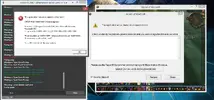
davidwr New Member Joined Nov 9, 2013 Messages 24 Reaction score 0 Nov 28, 2013 #7 ScreenShot: Log: View attachment 1892 2013-11-27 22.55.txt
CodenameG New Member Joined Jan 15, 2010 Messages 38,364 Reaction score 231 Nov 28, 2013 #8 change wow to dx9 mode, you can do that in your wow graphic options. also disable your mount + plugin, and consider changing your ground mount.
change wow to dx9 mode, you can do that in your wow graphic options. also disable your mount + plugin, and consider changing your ground mount.
davidwr New Member Joined Nov 9, 2013 Messages 24 Reaction score 0 Nov 29, 2013 #9 CodenameG said: change wow to dx9 mode, you can do that in your wow graphic options. also disable your mount + plugin, and consider changing your ground mount. Click to expand... why the plugin is giving trouble? Or is this just a test?
CodenameG said: change wow to dx9 mode, you can do that in your wow graphic options. also disable your mount + plugin, and consider changing your ground mount. Click to expand... why the plugin is giving trouble? Or is this just a test?