What's new
  • Visit Rebornbuddy
  • Visit Resources
  • Visit API Documentation
  • Visit Downloads
  • Visit Portal
  • Visit Panda Profiles
  • Visit LLamamMagic

DB is not working

TheHeavenlyRealm

New Member
Joined
Jan 12, 2017
Messages
6
Reaction score
0
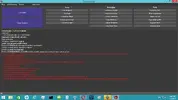
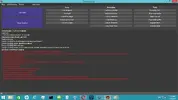
I installed DB and then downloaded latest Trinity and copy and paste to plugin folder then I loaded Diablo 3 and joined a game and started DB for first time and it logged in and I click the trinity tab and inside here I click Configure and I get this error message. I uninstall/reinstalled/deleted microsoft package/install latest/windows update from forum demonbuddy update/uninstall reinstall/check for programs on list/ and tried again and still getting message. using Windows 8.1

1.Download and installed DB
2.Deleted trinity folder in plugin and download and copy and paste latest trinity into plugin folder
3.Loaded Diablo 3 and entered a game, Enter key, and wait for it to load then go to trinity tab and click configure and get error

Steps I took, deleted and downloaded latest microsoft package and restarted/uninstall programs that may be on list/restarted and I think I uninstalled/reinstalled again and still got error.
 

Attachments

  • DbError.webp
    DbError.webp
    56.2 KB · Views: 68
I installed DB and then downloaded latest Trinity and copy and paste to plugin folder then I loaded Diablo 3 and joined a game and started DB for first time and it logged in and I click the trinity tab and inside here I click Configure and I get this error message. I uninstall/reinstalled/deleted microsoft package/install latest/windows update from forum demonbuddy update/uninstall reinstall/check for programs on list/ and tried again and still getting message. using Windows 8.1

1.Download and installed DB
2.Deleted trinity folder in plugin and download and copy and paste latest trinity into plugin folder
3.Loaded Diablo 3 and entered a game, Enter key, and wait for it to load then go to trinity tab and click configure and get error

Steps I took, deleted and downloaded latest microsoft package and restarted/uninstall programs that may be on list/restarted and I think I uninstalled/reinstalled again and still got error.


Wouldn't let me upload log file and screenshot. Uploaded log file in this reply
 

Attachments

Attachments

  • listofprograms1.webp
    listofprograms1.webp
    81.1 KB · Views: 33
  • Listofprograms2.webp
    Listofprograms2.webp
    73.3 KB · Views: 28
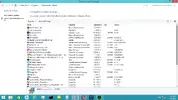
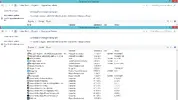
Here is my list of programs, I did uninstall a few more programs to see if it interferring with it. (AMD Catalyst install controller) and Discord, Going to reinstall DB and trinity folder and here are the list of programs I have just incase it doesn't work. restarting computer. thx for helping me
Still getting error
here the screenshot *I did uninstall slimcleaner and iorbit uninstaller also)

if you have any other suggestions let me know, i added 3 port forward to my router and maybe I am installing/running it for first time wrong? let me know the steps can't find link
 

Attachments

Last edited:
Still getting error
here the screenshot *I did uninstall slimcleaner and iorbit uninstaller also)

if you have any other suggestions let me know, i added 3 port forward to my router and maybe I am installing/running it for first time wrong? let me know the steps can't find link

Whenever I run buddywizard, it keep saying there an update to C++ 86, after I already updated/installed everytime I run this. is this a problem?
 
Problem solved. OS was old and then I ran buddywizard and it work this time(didn't keep trying to update again and again and not install so for future if this happens to anyone else, it cause the OS isn't updated) and restarted and viola! Thanks Alot Tony!!!!!!!
So awesome :)
 
Back
Top